
If your teacher has asked you to resubmit a text or hand in a second text, you will be able to see a small "2" next to the assignment.
Note: This "2" will first appear after you have seen all corrections that your teacher has given you on the first text.
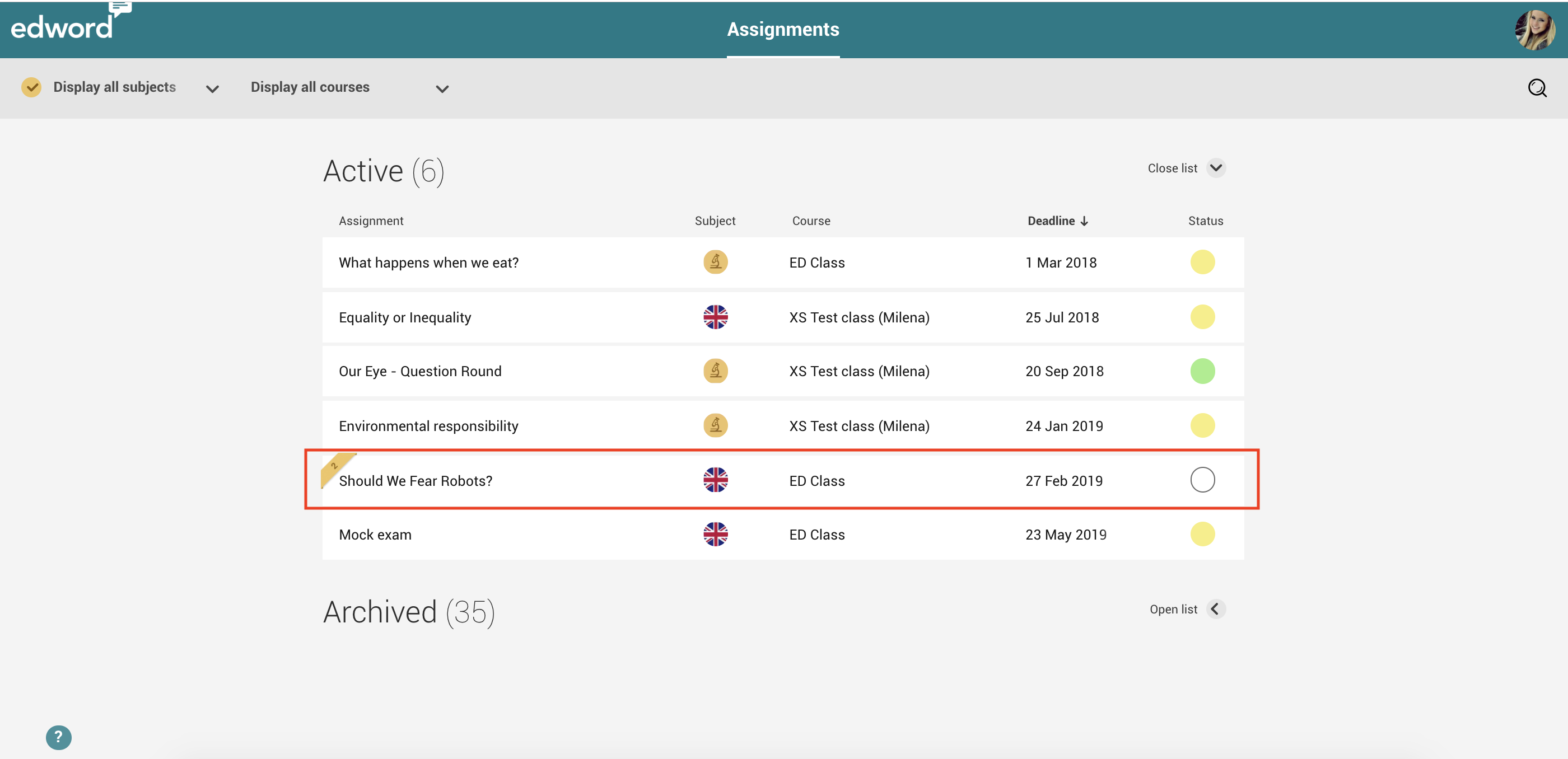
Click on the assignment and on  .
.
You will have two options now, depending on if you ...
1. ... handed in your first text with the Edword Text Writer. The program will ask you if you want to copy the first text and correct your text directly, click on "YES". You can also start from scratch and get a blank page. Click on "No, start from blank" for that.
While writing, you can look at the feedback that your teacher has given you on the first text. Simply click on this symbol  .
.
2. ... handed in your first text as a pdf or doc(x).
Proceed as normal, click on "Browse" and upload the text from your computer. To learn more, click here.
Comments
0 comments
Please sign in to leave a comment.